 Knockout
01 / Stored
Ready to repeat.
Save a password with an entry for convenient testing. Stored passwords are unencrypted in your local Chrome profile.
Knockout / Punchout test helper
From supplier login to returned cart. Test your punchout integration and see exactly what comes back, right in Chrome.
Chrome Web Store release in preparation
The whole workflow
Create reusable entries, choose the setup endpoint, and fill in the fields. Save when you want to keep a setup. Execute when you want to test, even before saving.
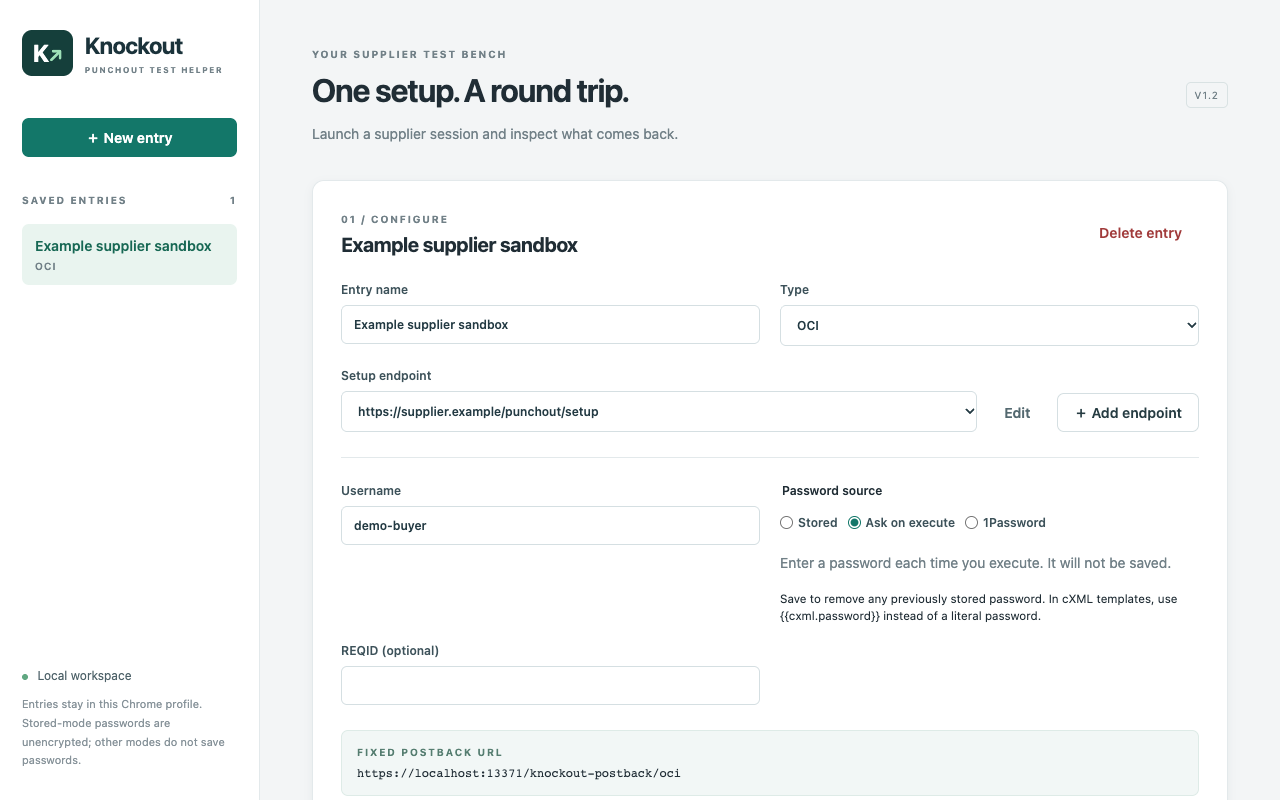
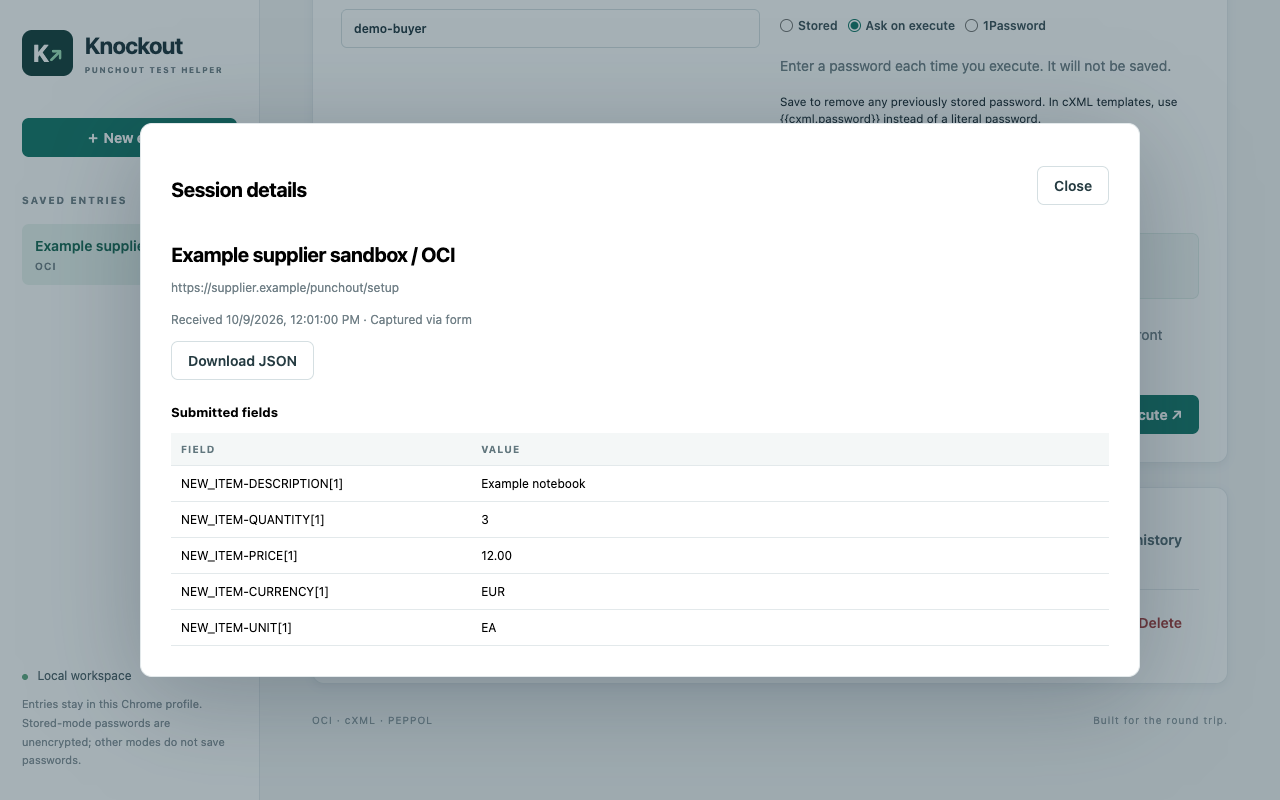
Inspect returned form fields and readable XML. Download JSON or the original XML for further investigation. Keep useful sessions and delete individual results when you are done.
Choose how you work
01 / Stored
Save a password with an entry for convenient testing. Stored passwords are unencrypted in your local Chrome profile.
02 / Ask on execute
Supply a password when you start a session. It is used for that request without being saved in the entry.
03 / 1Password
Save a secret reference and retrieve the password on Execute. Requires the optional helper and 1Password desktop app on macOS Apple Silicon.
Execute sends your credentials and setup fields to the supplier you select. Entries and captured results stay in your Chrome profile until you delete them. Knockout has no analytics or publisher-operated collection server.
Site access is requested as needed. If the supplier redirects to another storefront, approve that site before checkout.
Read the privacy policy →Chrome 119 or newer, an installed copy of Knockout, and an authorized supplier test endpoint with credentials. Remote setup endpoints must use HTTPS. The extension's local test mode accepts localhost or 127.0.0.1 with dummy data.
No. Knockout captures the checkout postback for an active test session. It uses a fixed HTTPS localhost callback on port 13371; the fallback network observer may attempt a connection to that address.
Only if you choose the 1Password password mode. Stored and Ask on execute work without the native helper.
Read the setup guide or email chrome-dev@mju.se. Remove credentials and private supplier data before sharing screenshots or payloads.